
How to make personalized sales videos for LinkedIn
Why generic LinkedIn videos fall flat Most sales reps discover video the same way. They record one pitch, blast it to 200 prospects, and watch the open rates die. The problem isn't video. The problem…
Why generic LinkedIn videos fall flat
Most sales reps discover video the same way. They record one pitch, blast it to 200 prospects, and watch the open rates die. The problem isn't video. The problem is that everyone can tell the video wasn't made for them.
A prospect opens your message, sees a talking-head clip that mentions no company name, no website, no context, and closes it in two seconds. You spent time recording. They spent no time watching.
Personalized video fixes this by making each prospect feel like you sat down and recorded a clip just for them. The trick is doing that without actually recording hundreds of separate videos. This post walks through how to build personalized sales videos for LinkedIn at scale, what to say in them, and how to send them so they actually get watched.
The core idea: record once, personalize everything
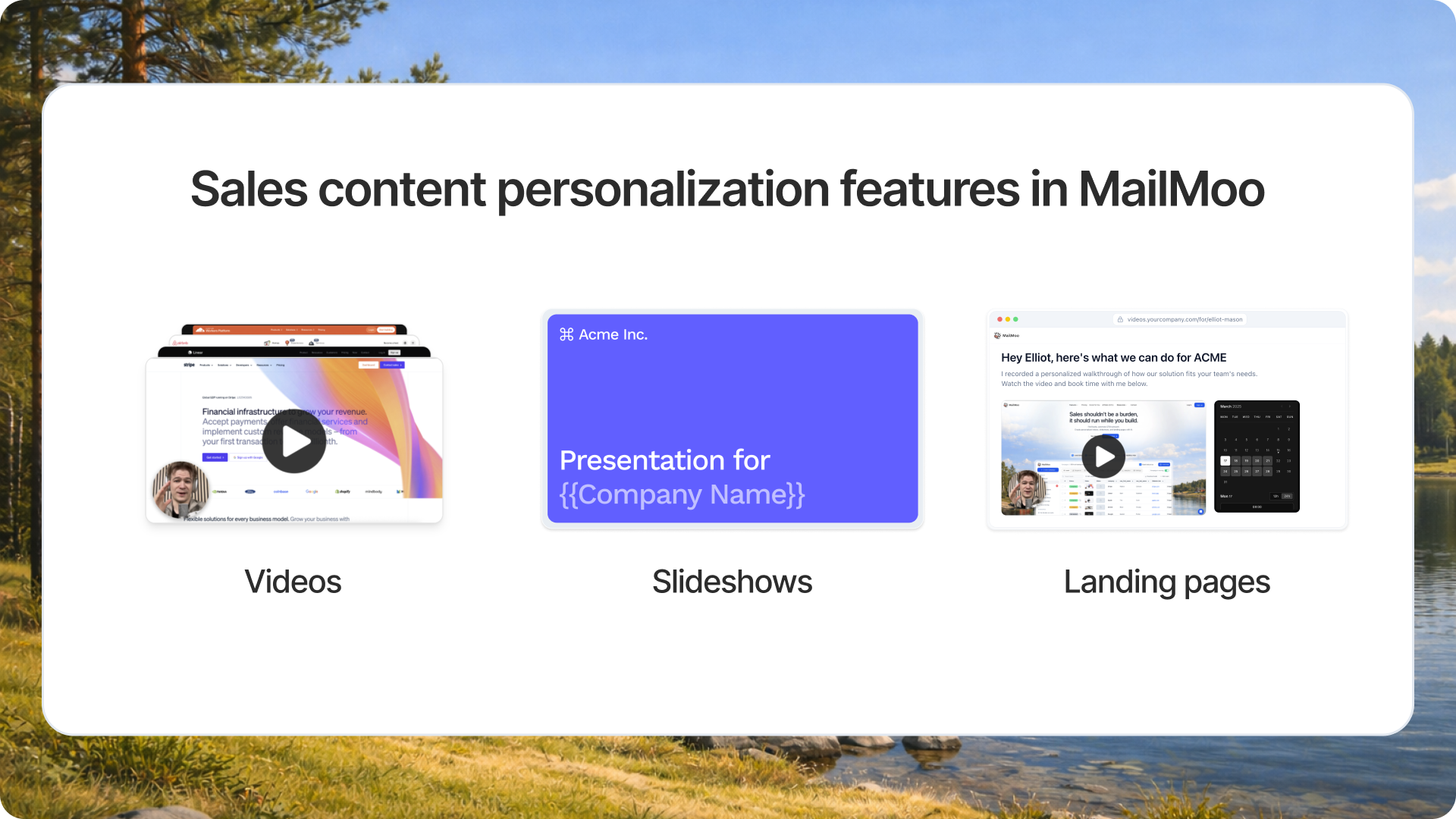
You record a single base video. Then software swaps in a personalized element for each prospect. The most common approach uses their website or LinkedIn profile as a background, so it looks like you're browsing their page while you talk.
Here's the workflow in plain terms. You upload a list of leads with their names, companies, and URLs. The tool generates one video per lead, each with that lead's site scrolling behind you. To the prospect, it looks bespoke. To you, it was one recording.
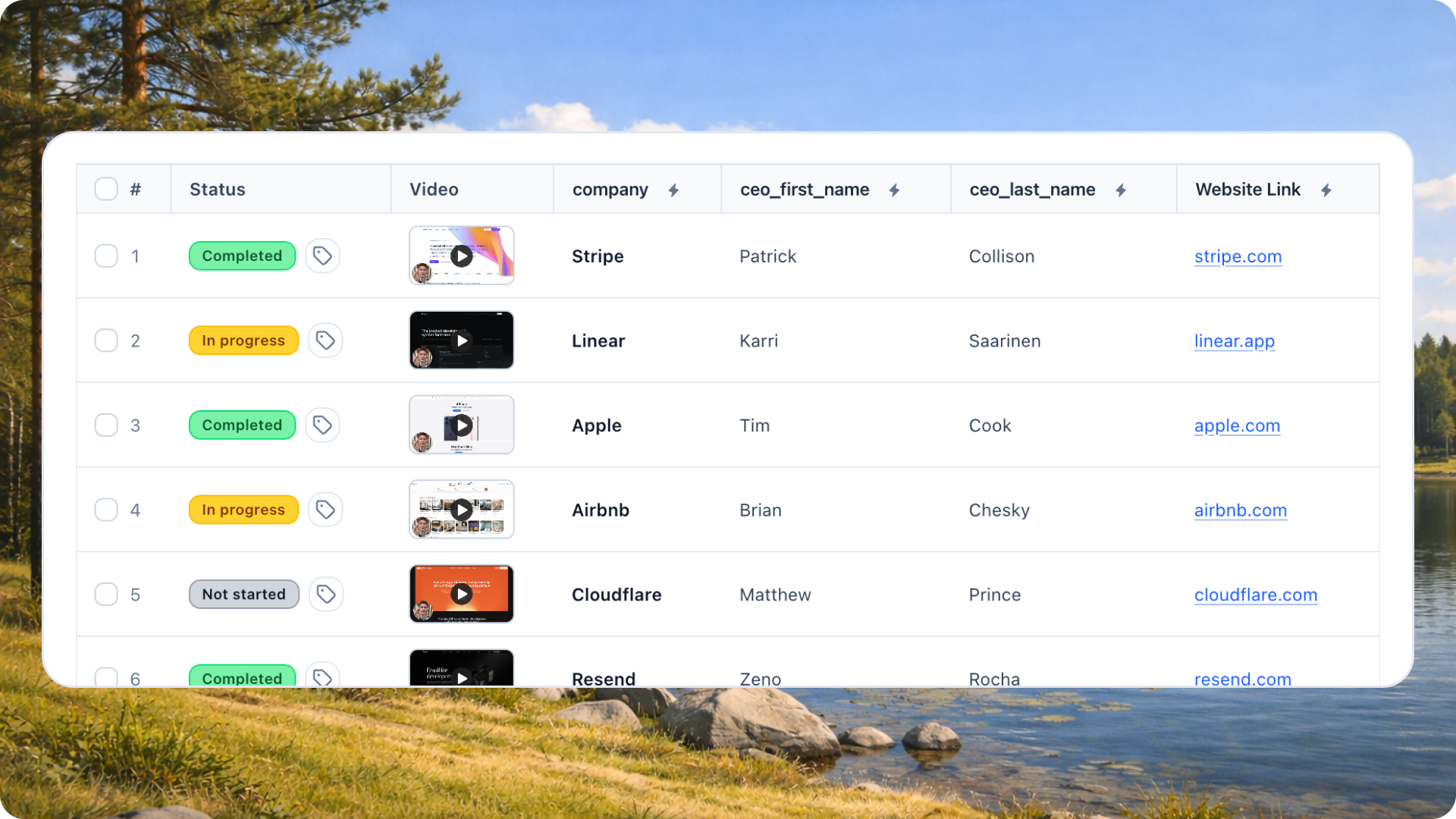
You can push personalization further with audio variables. Instead of a generic "Hey there," the video says the prospect's actual name out loud, generated automatically from your lead data. That first second of a video, hearing your own name, is what stops someone from scrolling past.
Writing a script that survives repetition
Your script has to work for every prospect, so keep the personalized parts at the edges and the pitch in the middle.
A reliable structure:
Name and hook (personalized): "Hi Sarah, I was just on the Acme site..."
Observation (semi-personalized): point at something visible on their page.
Value (fixed): the one thing you help with, in a sentence.
Ask (fixed): a low-friction next step.
Keep the whole thing under 45 seconds. People decide within the first five whether to keep watching, and a short video signals you respect their time.
Avoid over-scripting the observation. If you claim to have read their entire blog, one prospect will catch you bluffing and the illusion breaks. Point at something real and general, like "I saw you're hiring across sales," which stays true across your list.
Sending it on LinkedIn so it gets opened
LinkedIn is easier than email. In email you can't embed a playable video inside a mail directly, and oftne automated messages get flagged.
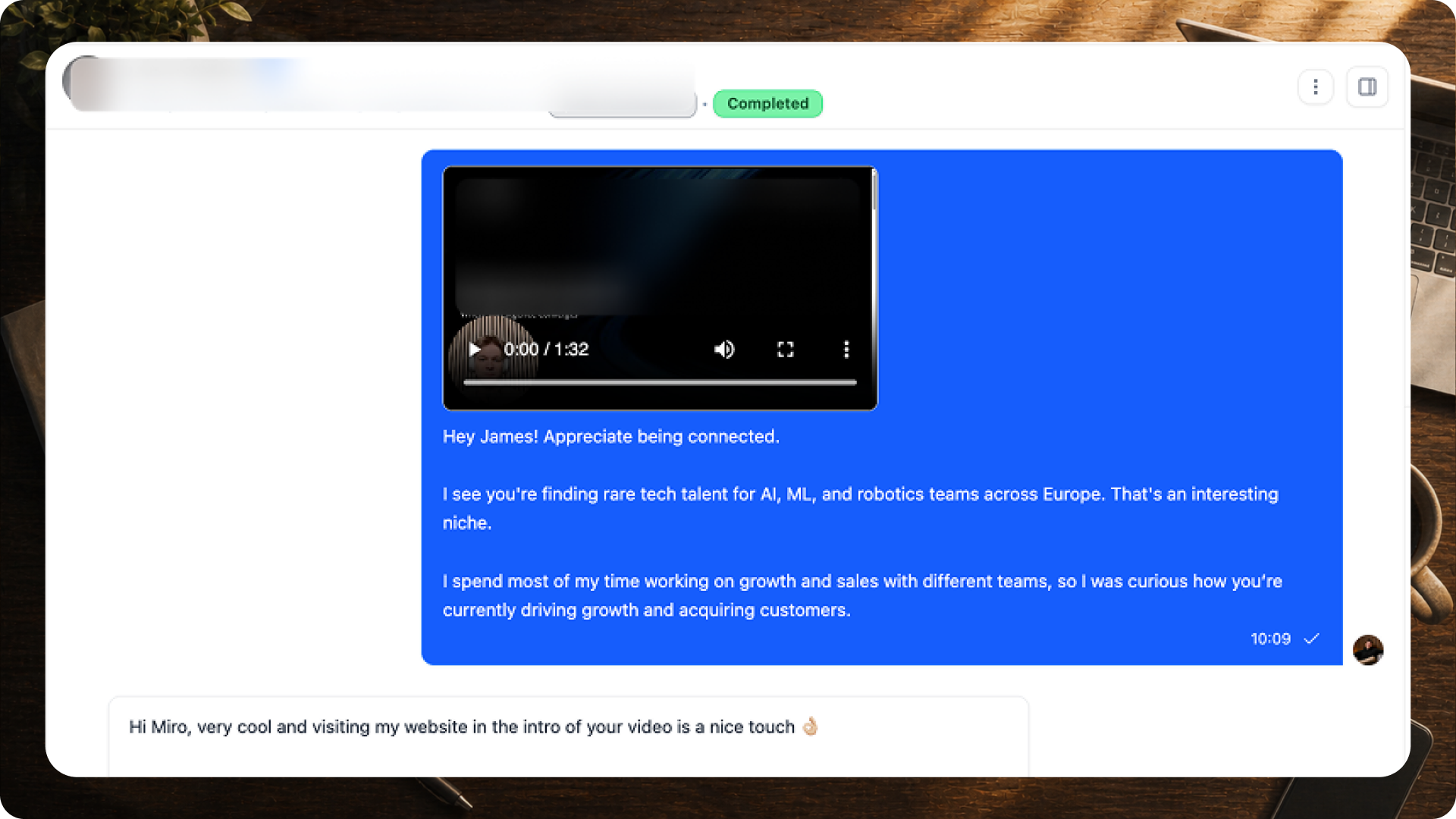
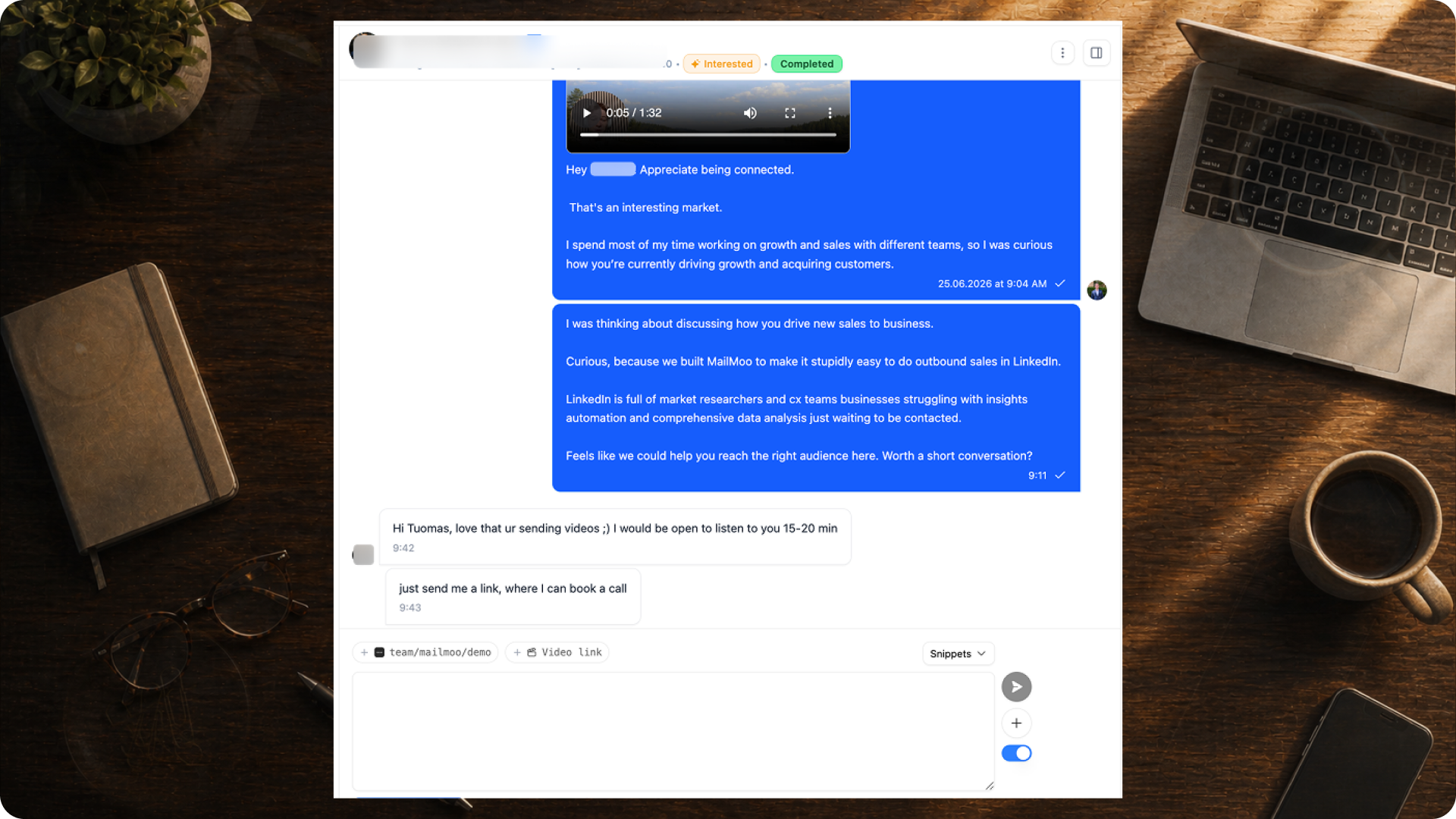
A few rules that keep response rates healthy:
Explain yourself: Say why you're reaching out, then reference the video. Don't make the video carry the whole message.
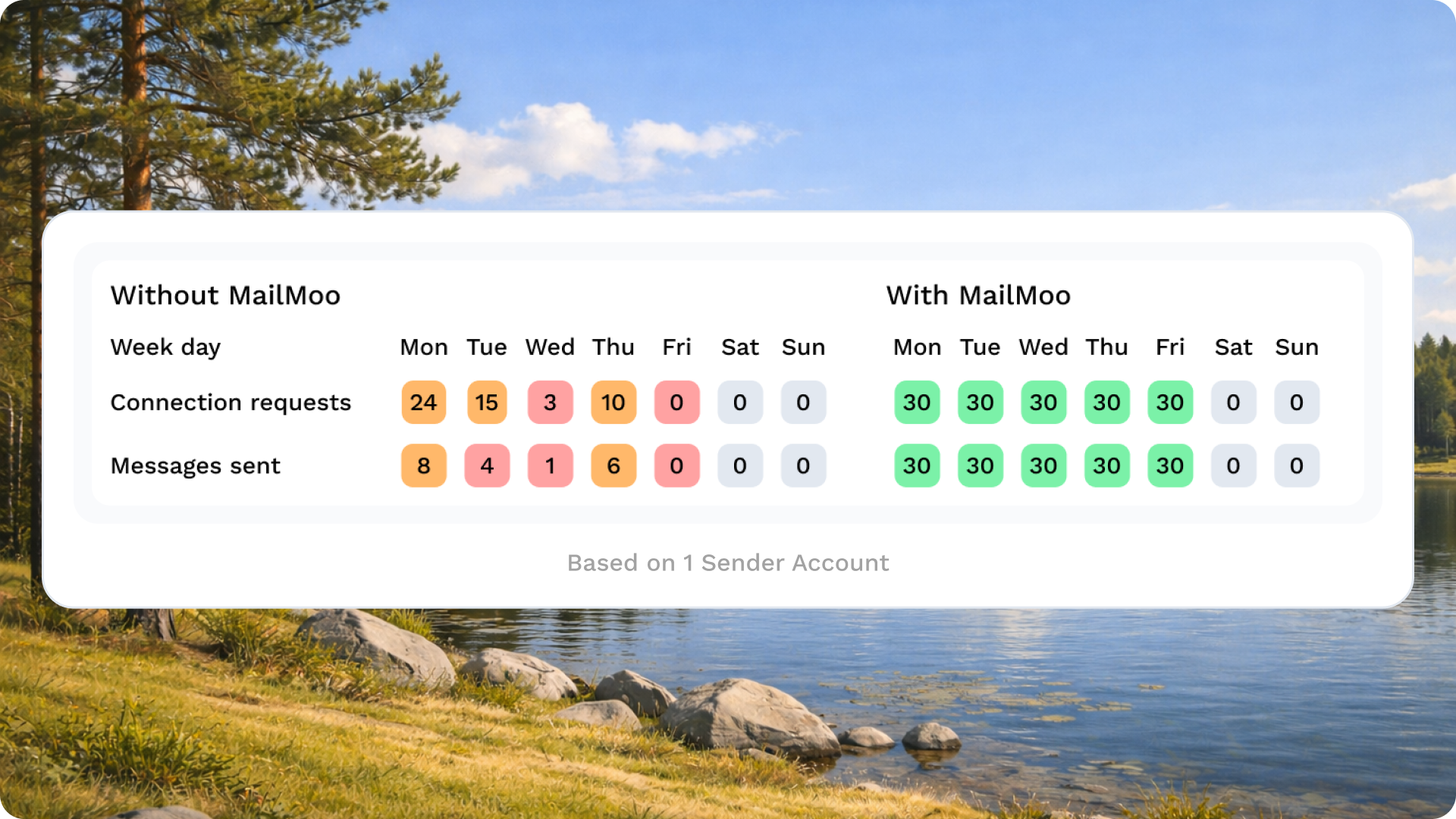
Space out your sends. LinkedIn watches for burst activity. Small daily volume at your local work hours keeps your account safe.
That last point matters more than most people expect. Consistency, not intensity, is what fills a pipeline.
Send video only to people worth the effort
Personalized video takes more setup than a plain text message, so don't spray it across your whole list. Score your leads first, then reserve video for the ones who actually match your ideal customer.
A simple scoring system, say 0 to 4, lets you sort a list fast. A "4" gets the full personalized video treatment. A "1" might get nothing at all. This keeps your best content in front of your best prospects.
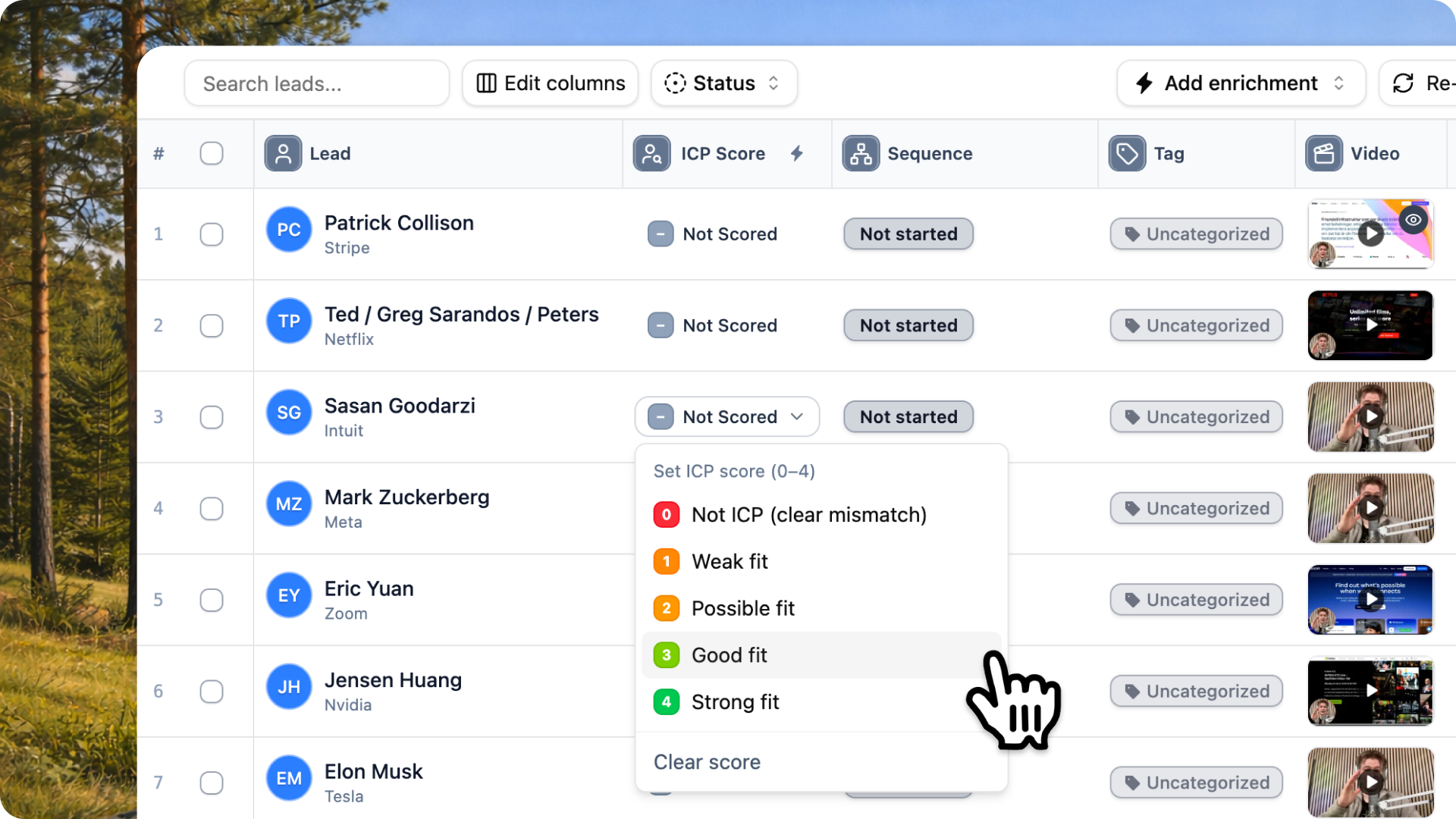
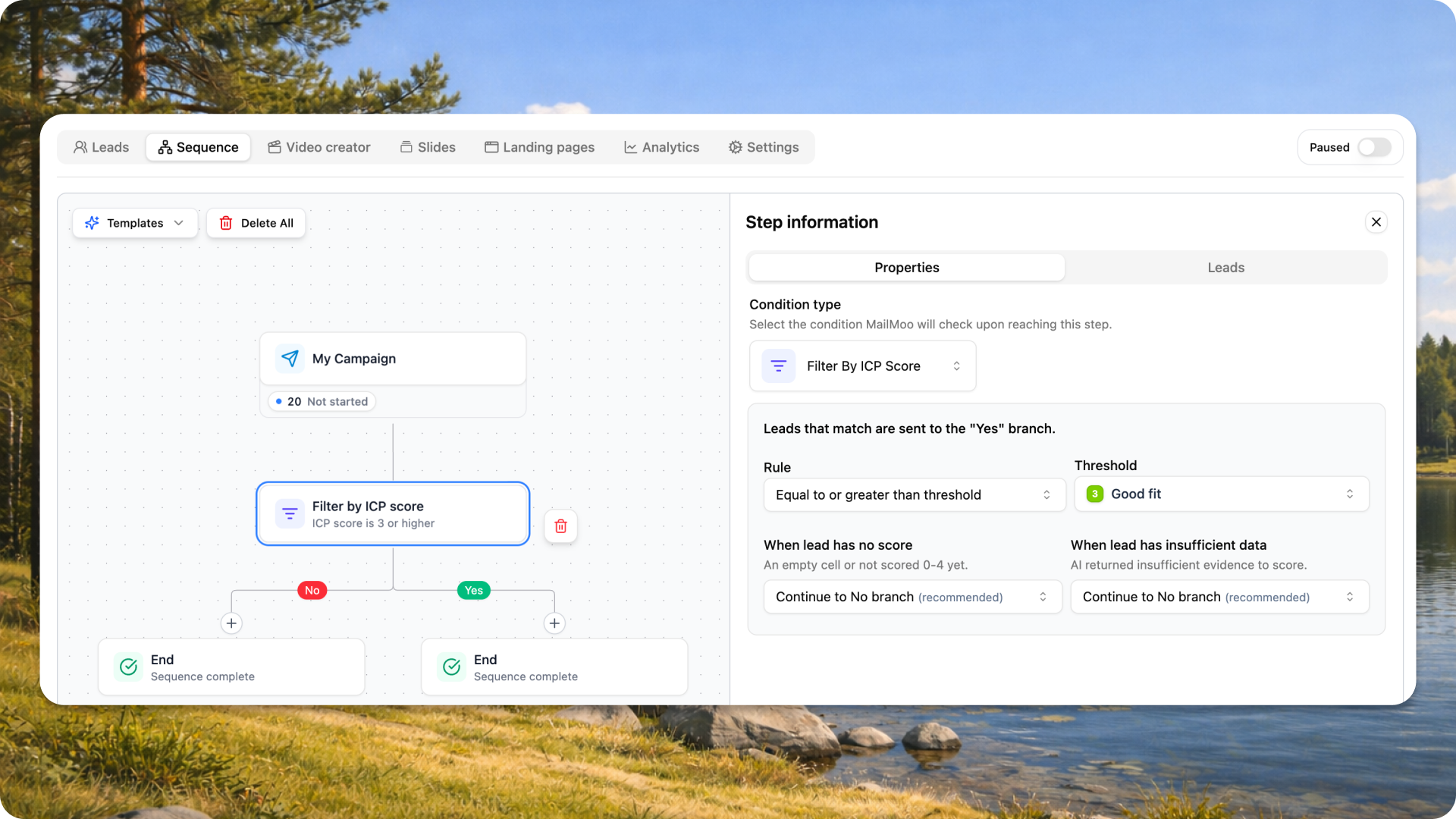
You can then build a sequence that branches on that score. Leads above your threshold flow into the video track. Everyone else gets a lighter touch. The result is that your recording time goes only toward prospects with a real chance of converting.
Measure what happens after the send
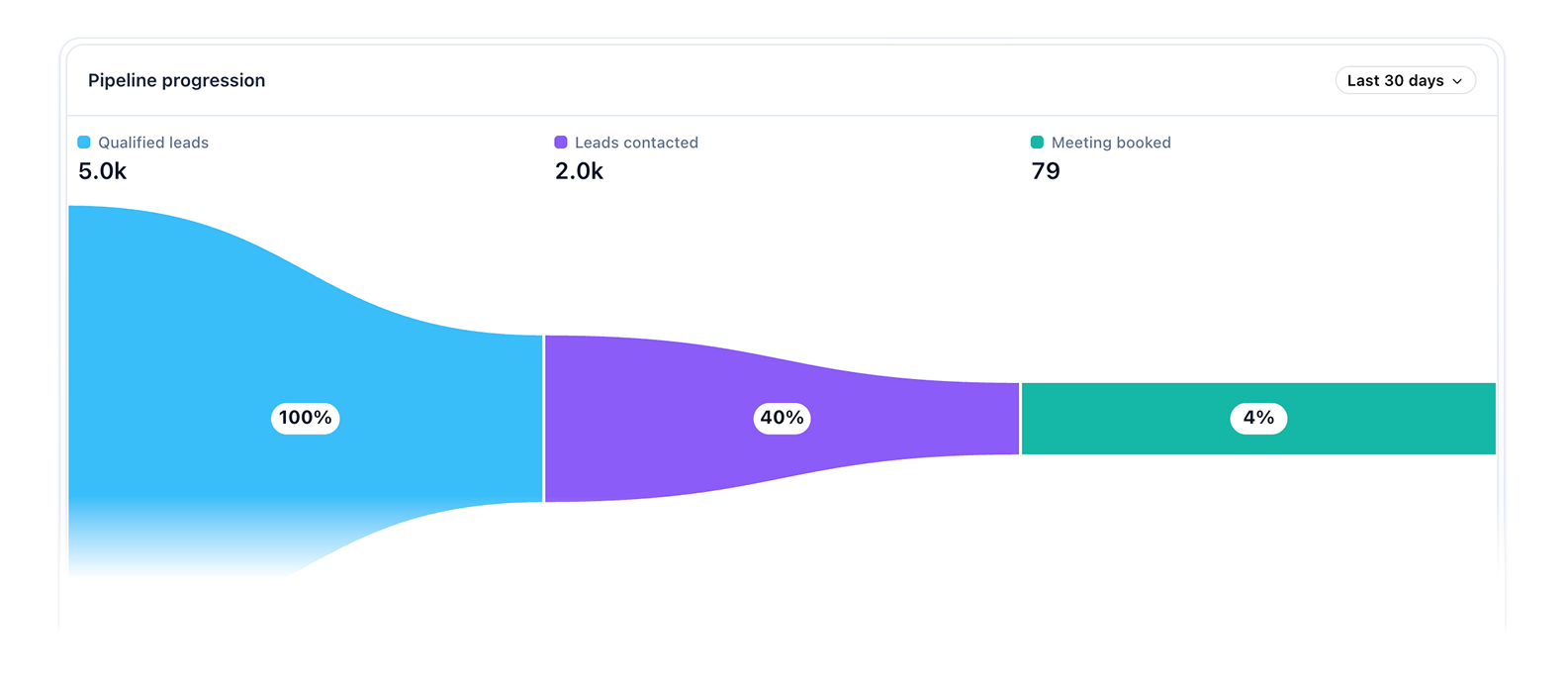
A video that gets sent but never watched teaches you nothing. Track three numbers: how many videos went out, how many got opened, and how many turned into replies or meetings.
If opens are low, your text hook or thumbnail is weak. If opens are high but replies are low, your script or ask needs work. Watching the funnel tells you exactly which part to fix instead of guessing.
The takeaway
Personalized video wins on LinkedIn because it stands out and feels handmade even while running on autopilot. Record one base clip, let software swap in each prospect's name and website, and reserve the effort for leads that fit your profile. Warm up the connection, keep the script short, send at a steady pace, and read your numbers to see what to fix.
Do that and video stops being a one-off experiment. It becomes a repeatable channel that books meetings while you work on everything else.


