
Why do I need a SPF record for email?
What an SPF record actually is SPF stands for Sender Policy Framework. In practice, it's a single line of text stored in your domain's DNS settings that lists every server allowed to send email using…
What an SPF record actually is
SPF stands for Sender Policy Framework. In practice, it's a single line of text stored in your domain's DNS settings that lists every server allowed to send email using your domain name.
When someone receives an email claiming to come from you@yourcompany.com, their mail server checks your SPF record. It asks a simple question: did this message come from a server you approved? If yes, the email passes. If no, it gets flagged.
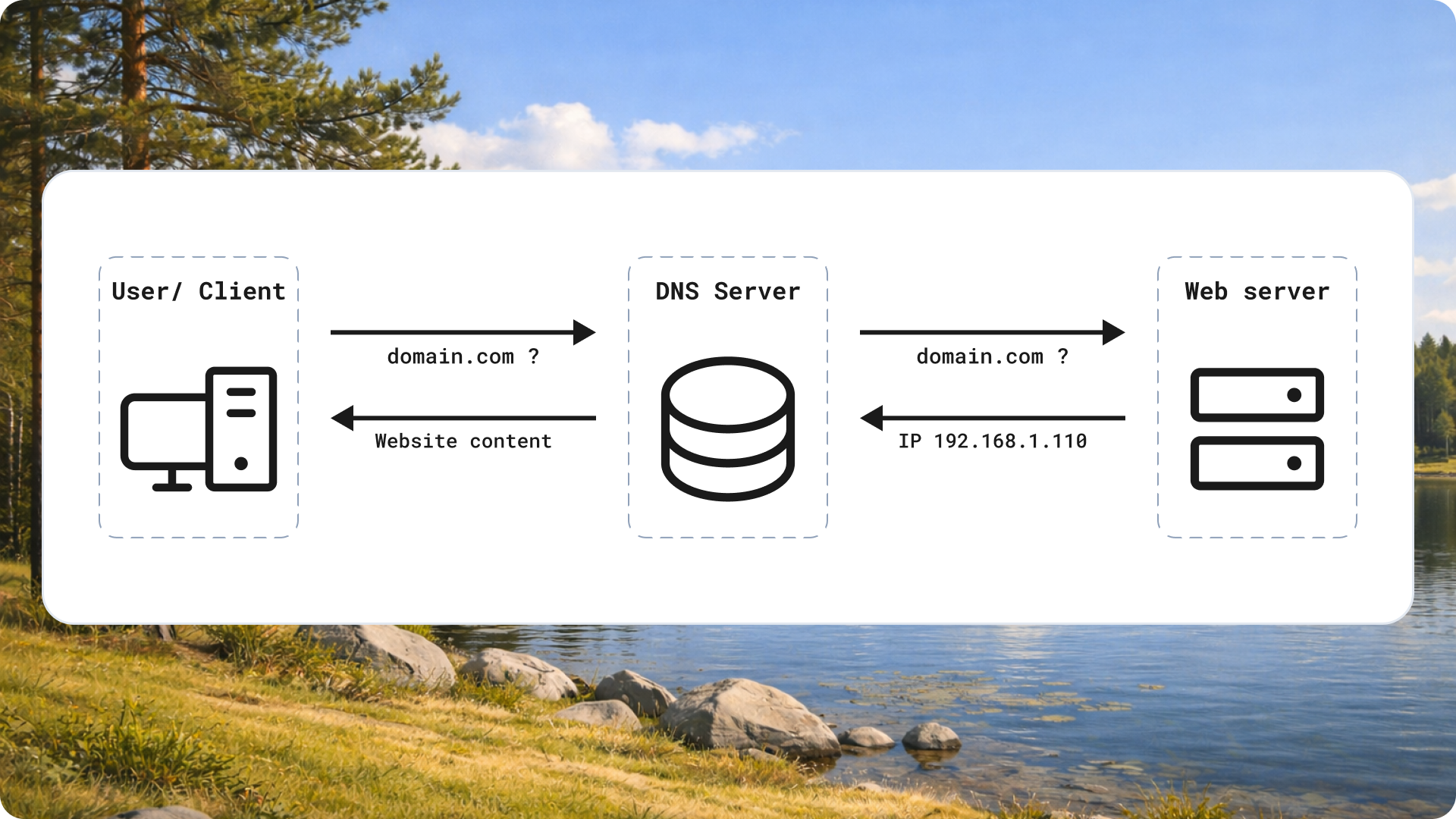
The record itself is small. Something like v=spf1 include:_spf.google.com ~all tells the world that Google's servers are allowed to send on your behalf, and anything else is suspect.
The problem it solves
Email was built without any identity check. By default, nothing stops a stranger from writing your domain into the "From" field and sending whatever they want.
That's how phishing works. A scammer sends "urgent invoice" emails that appear to come from your company. Your customers see your name, trust it, and click. You never touched those emails, but your domain takes the blame.
SPF closes that gap. It gives receiving servers a way to verify that a message truly came from an approved source, so forged mail can be caught and rejected.
Why this matters for sales
If you send outreach for a living, SPF is not an IT footnote. It decides whether your emails land in the inbox or vanish into spam.
Deliverability
Mail providers like Gmail and Outlook use SPF as a core trust signal. When your record passes, you clear one of the first checks that decides inbox placement. When it fails, you accumulate spam markers fast.
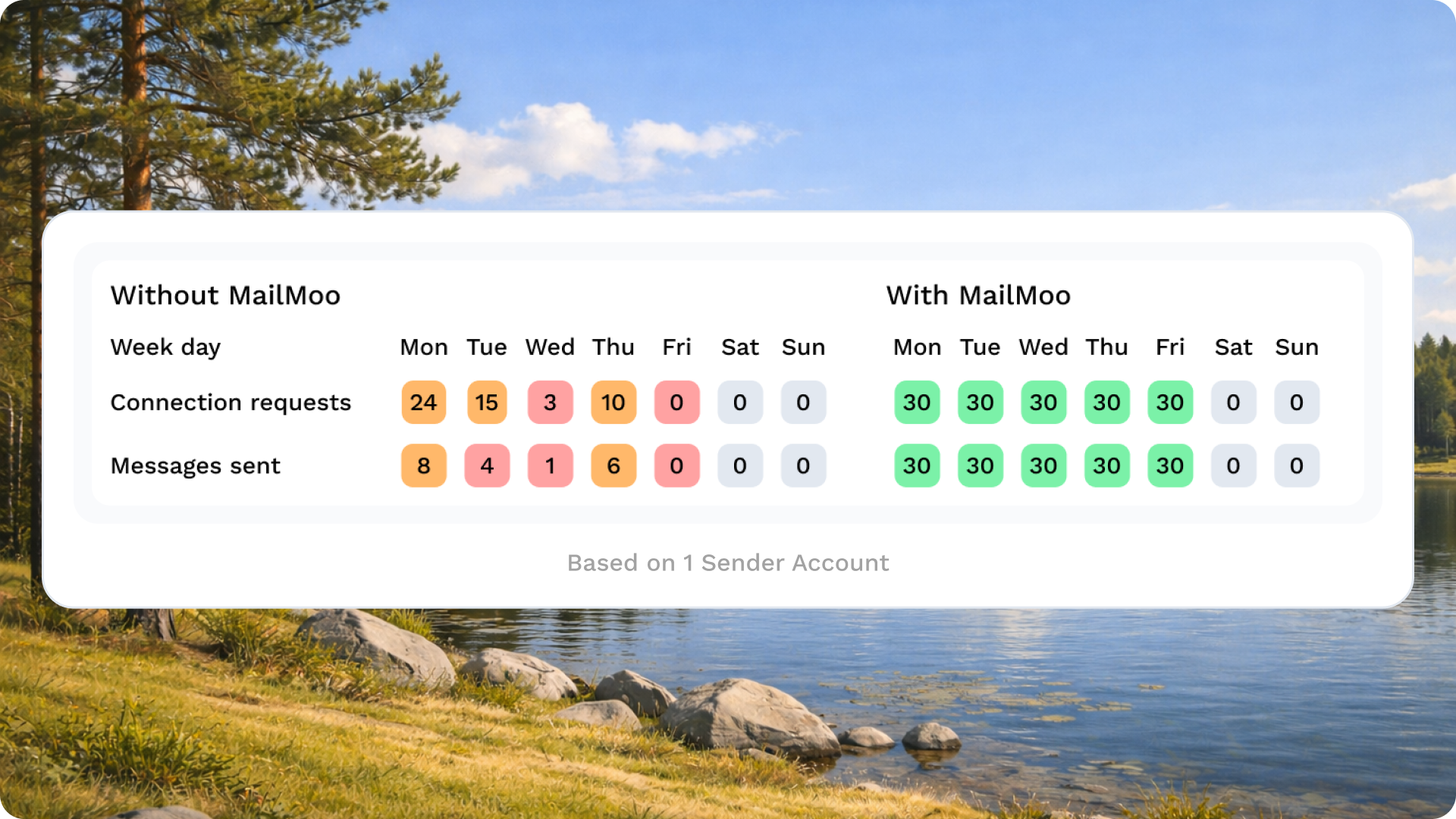
The math is brutal. You can write the perfect subject line, personalize every message, and time your send perfectly. None of that matters if the receiving server dumps you in the junk folder before a human ever sees it. A broken SPF record quietly kills entire campaigns.
Trust and brand
There's a slower, more damaging cost too. If someone spoofs your domain and your SPF is weak, prospects receive junk that looks like it came from you. That poisons your name before you've even started a conversation.
The reverse is also true. A clean, verified domain signals that you run a legitimate operation. Prospects rarely notice good email authentication, but they absolutely notice when your messages look sketchy or land in spam.
How SPF works with the tools you use
Here's the part most salespeople miss. You almost never send email straight from your own mail server.
Gmail and Outlook send through Google's and Microsoft's infrastructure. Sales platforms like Outreach, Salesloft, or MailMoo send on your behalf through their own servers. Every one of those services uses a different set of sending IPs.
Your SPF record has to name all of them. If you connect a new outreach tool but never update your record, that tool's emails fail SPF. The provider sees mail claiming to be from your domain, sent by a server you never authorized, and treats it as suspicious.
So the rule is straightforward: every service that sends email using your domain needs to be listed in your SPF record, usually through an include: statement the provider gives you.
Common mistakes that break SPF
A few errors show up again and again.
Too many DNS lookups. SPF has a hard limit of ten DNS lookups per check. Each include: for a tool can trigger several. Stack up enough services and you blow past ten, which causes the whole record to fail even though it looks correct on paper.
More than one SPF record. You're allowed exactly one SPF record per domain. Teams often add a second when they onboard a new tool instead of editing the existing one. Two records equal an automatic fail. Merge everything into a single line.
Forgetting new tools. The most common issue by far. You add a sending platform, start a campaign, and never touch DNS. The tool sends, SPF fails, deliverability tanks, and nobody connects the two.
What to do next
Before your next campaign, run through this checklist.
- Confirm the record exists. Use a free SPF checker and enter your domain. If nothing comes back, you have no record and need to create one.
- Include every sending service. List Gmail or Outlook, plus every sales and marketing tool that sends on your behalf. Combine them into one record, not several.
- Stay under ten lookups. If you're near the limit, use SPF flattening or drop unused tools.
- Test before you send. Send a test message to a Gmail address, open it, view the original, and check that SPF shows "pass."
SPF takes minutes to fix and quietly protects every email you send. Get it right once, keep it updated as you add tools, and your outreach reaches the inbox instead of the spam folder.


